03 · Tooling & playbooks
Instant benchmarks answer a few questions about one deal. The tools in this chapter go further: they read your own exports and documents, a usage report, a cost export, a signed contract, a photographed quote, and build a plan from your real numbers. The chapter closes with the vendor playbooks, full self-serve negotiation and migration engagements for ten major vendors.
Every tool is free to explore with sample data on any plan. Uploading your own data, and running the AI over it, is an Enterprise feature; the tool tells you when a step needs it. Files you upload to the AI tools are read in memory and never stored, and the browser-only calculators parse your export on the page so your usage data never leaves it.
All tools
Where: Tooling › All tools · /tooling
Who: everyone
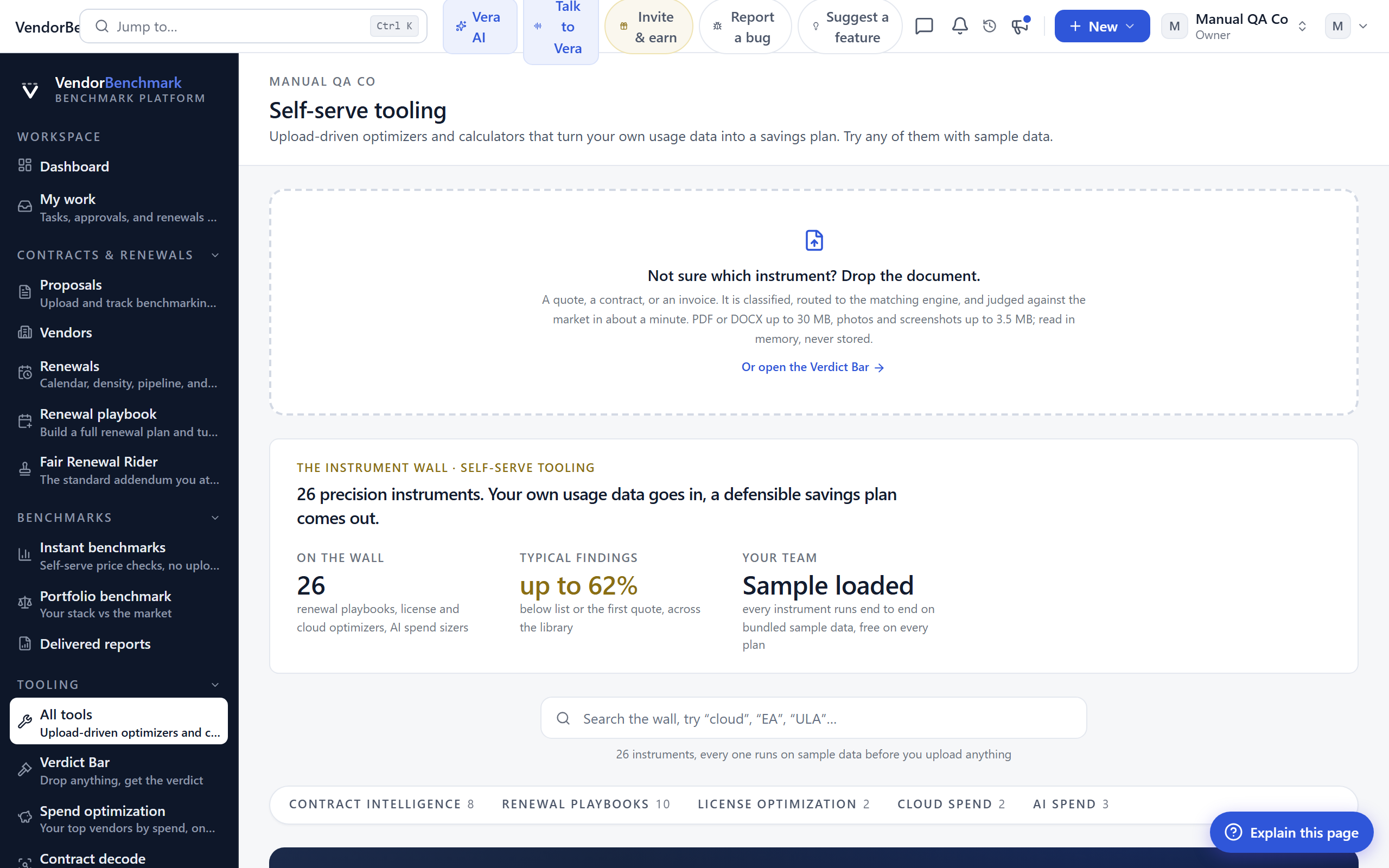
The tooling hub: every upload-driven optimizer and calculator on one wall, grouped by job. Start here when you have your own data and want a plan built from it rather than a quick market check.
On the screen
- Verdict Bar hero — the dropper at the top. Not sure which tool fits? Drop the document here and it routes itself (see below).
- Instrument cards — one card per tool, grouped under Portfolio optimization, Contract intelligence, Renewal playbooks, License optimization, Cloud spend, and AI spend. Each card names the situation it is for and the typical finding it surfaces.
- Start here — the spend optimization tool is featured as the first stop for a budget owner.
How to use it
- If you know the tool you need, open its card.
- If you only have a document, use the Verdict Bar dropper at the top and let it pick the engine.
- Try any tool on sample data first to see the output before you bring your own.
Verdict Bar
Where: Tooling › Verdict Bar · /verdict
Who: requires an AI plan
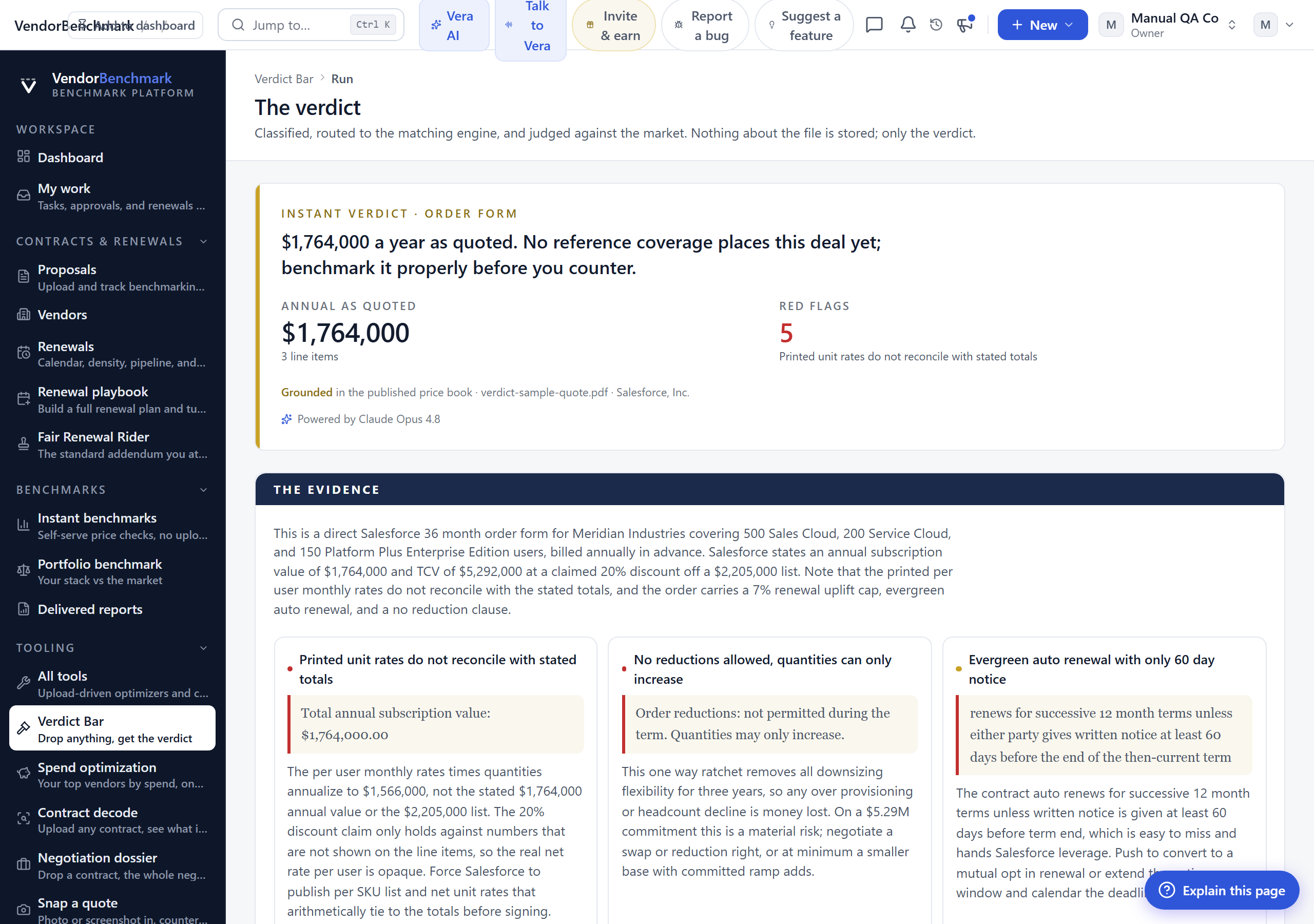
The one front door when you have a document and no idea which tool fits. Drop any quote, contract, order form, or invoice; it is classified, routed to the matching engine, and judged against the market in about a minute.
On the screen
- Dropper — drag in the document or pick a file.
- Classification — what the Verdict Bar decided the document is, and which engine it sent it to.
- The verdict — the routed engine's read: where the deal sits against the market and what to do next.
- Recent runs — your past verdicts, so you can reopen one.
How to use it
- Drop the document.
- Watch it classify and route.
- Open the verdict and follow through into the engine it chose.
Related: Contract decode · Snap a quote
Spend optimization
Where: Tooling › Spend optimization · /tooling/spend-optimization
Who: requires an AI plan
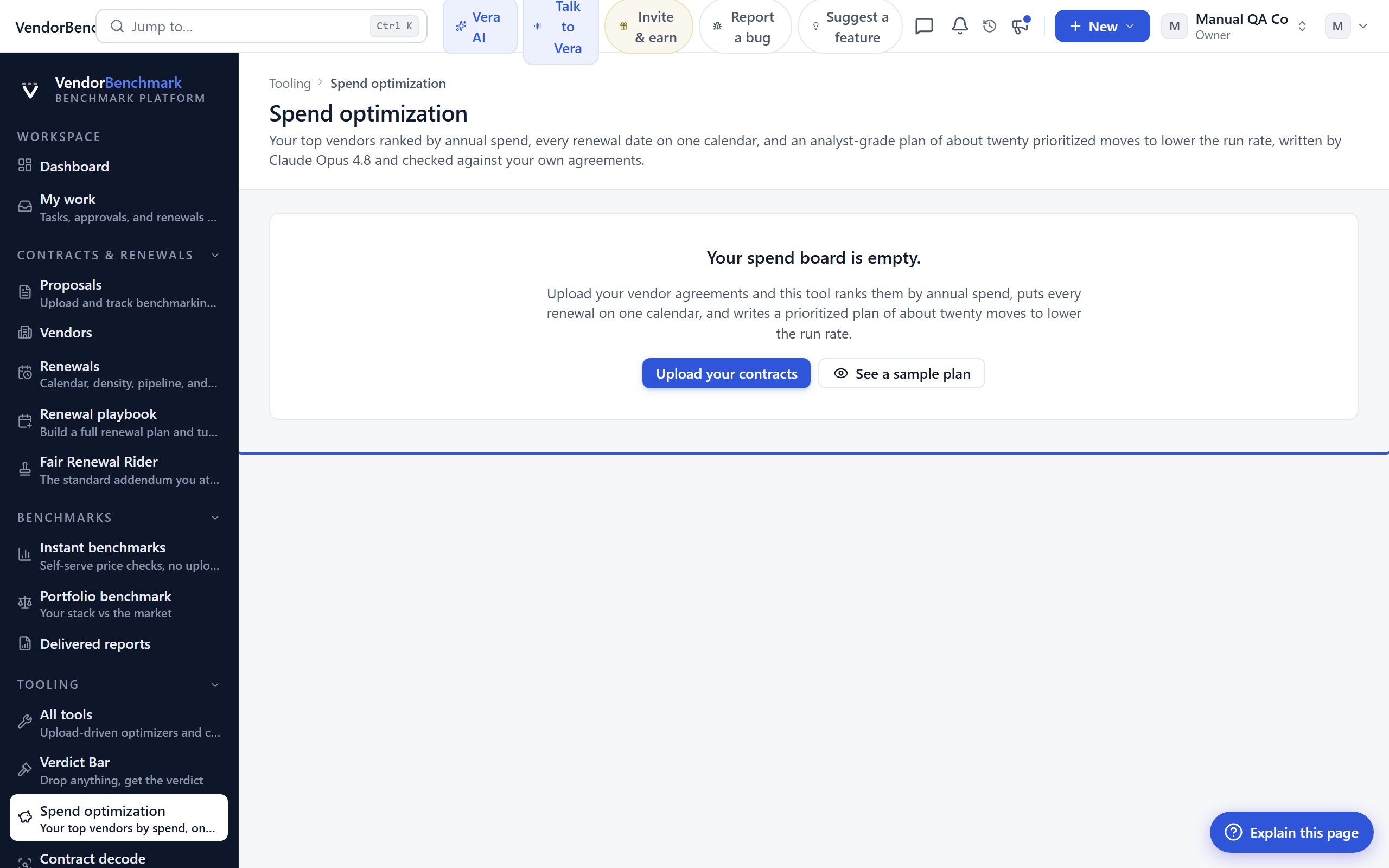
The savings plan for your whole software budget. Rank your top vendors by annual spend, see every renewal date on one calendar, and get an analyst-grade plan of about twenty prioritized moves to lower the run rate, written by Claude Opus 4.8 and checked against your own agreements.
On the screen
- Vendor picker — take your top 10, 25, 50, or 100 vendors by annual spend, or choose them yourself.
- The board — spend per vendor, every renewal on one eighteen month calendar, and the market position wherever the data defends one.
- The plan — a five to ten page optimization plan of about twenty recommendations across right-sizing, renegotiation, consolidation, terms, and timing, each anchored to a renewal date.
- Groundedness — every figure is checked against your stored agreements before the plan is shown.
How to use it
- Pick your vendor set by spend, or hand-pick it.
- Generate the plan and let Opus compose it. This takes a minute or two.
- Walk the plan move by move; take any move deeper with Vera, or book the analyst walkthrough.
Related: Portfolio benchmark · Opportunities
Contract decode
Where: Tooling › Contract decode · /tooling/contract-decode
Who: everyone (AI decodes are metered by plan)
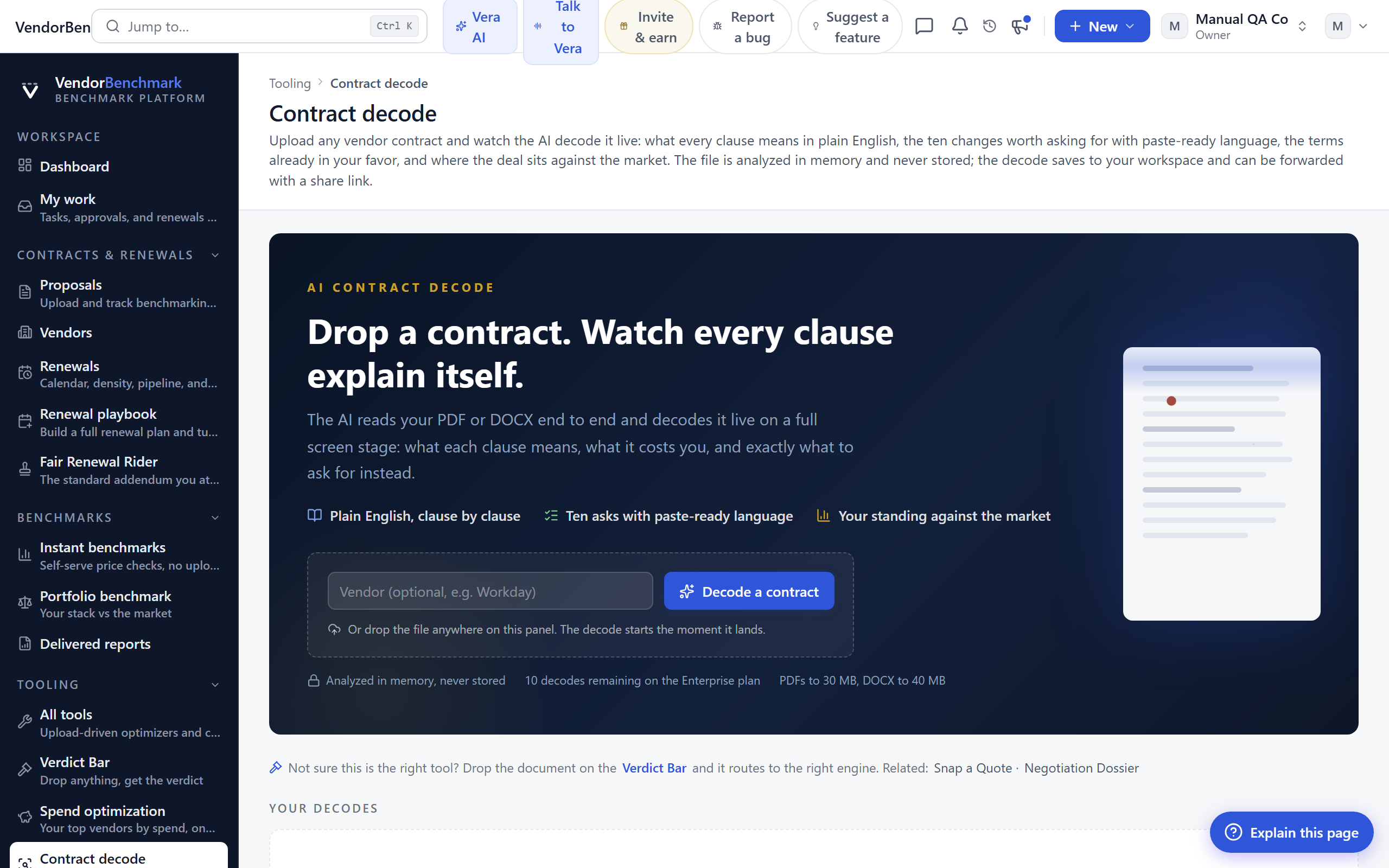
Upload one vendor contract and watch the AI decode it live: what every consequential clause means in plain English, up to ten changes worth asking for with paste-ready language, the terms already in your favor, and a term-by-term market benchmark.
On the screen
- Upload — drop the contract or quote. The file is analyzed in memory and never stored.
- Live decode — clauses explained as the pass runs, with a preliminary read first and the deep read behind it.
- Ask list — the changes to request, ranked, each with language you can paste into a redline.
- Market benchmark — where the deal stands term by term.
- Saved decodes — your past decodes; each saves to your workspace and can be forwarded with a share link.
How to use it
- Upload the contract.
- Read the clause-by-clause decode and the ask list.
- Save it, or forward the share link to a colleague.
Related: Negotiation dossier · Clause library
Negotiation dossier
Where: Tooling › Negotiation dossier · /tooling/dossier
Who: everyone (your own data requires an Enterprise plan)
Drop one contract and the whole negotiation package assembles itself with no further input: the deal placed against peer reference data, the decoded contract with its leverage-ranked ask list, a combined five-page analyst brief, the strategy and tactics playbook, a live web-researched vendor intel briefing, and the credible walk-away alternative priced with crossover math.
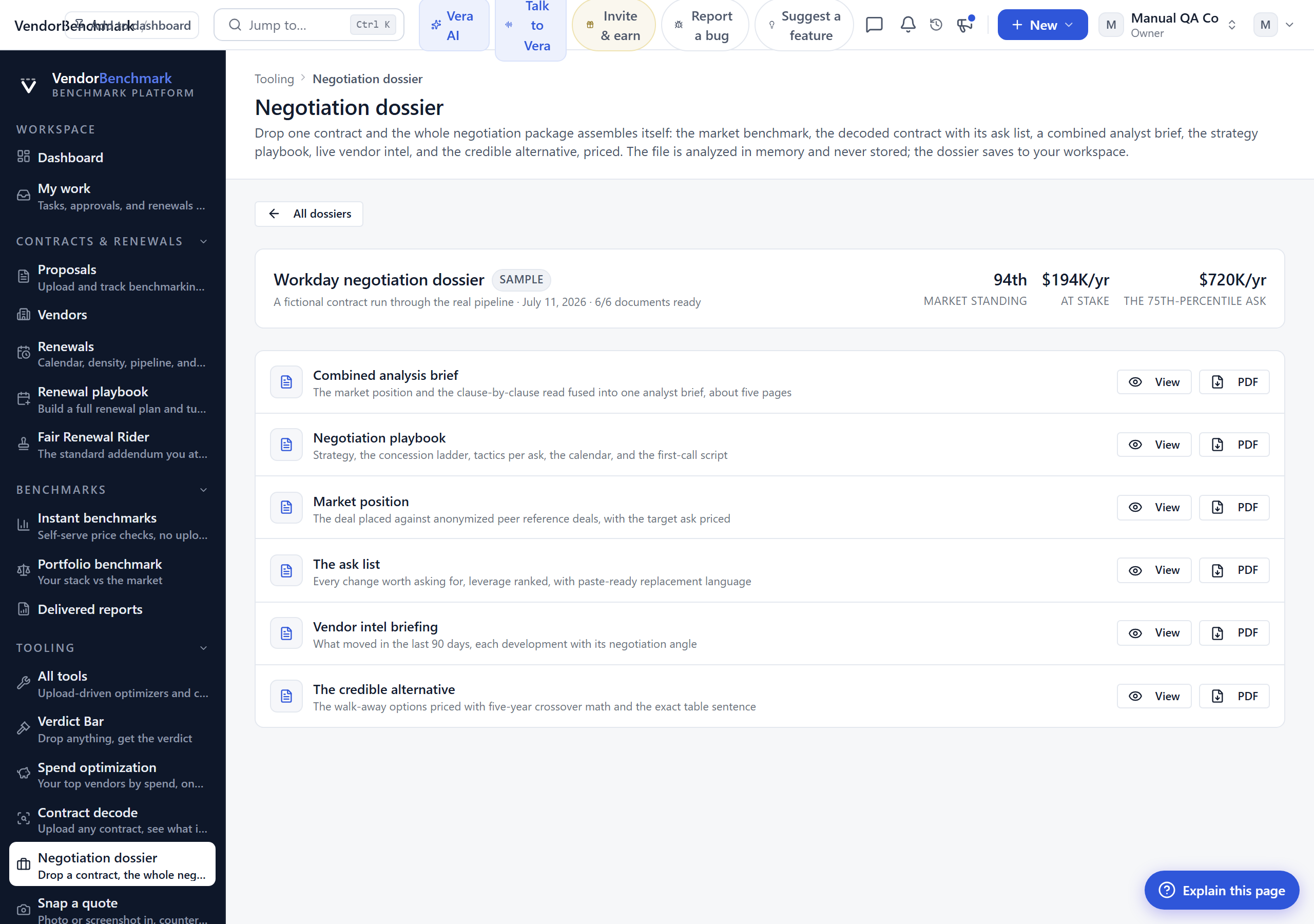
On the screen
- Upload — one contract in. The file is analyzed in memory and never stored.
- Assembly list — each document lands in the list as it finishes: benchmark, decode, brief, playbook, vendor intel, and the alternative.
- Downloads — each piece exports as its own exec-brief PDF.
- Saved dossiers — the dossier saves to your workspace; reopening one resumes any unfinished step.
How to use it
- Upload the vendor contract.
- Let the package assemble; the pieces stream in as they complete.
- Download the whole pack or the single document you need for the meeting.
Related: Contract decode · Negotiations
Snap a quote
Where: Tooling › Snap a quote · /tooling/snap-a-quote
Who: everyone (snaps are metered by plan)
Photograph, screenshot, or drop any vendor quote and get an instant verdict: every line item read off the paper, each SKU checked against published list prices, the deal placed against comparable deals, and the counter to send back.
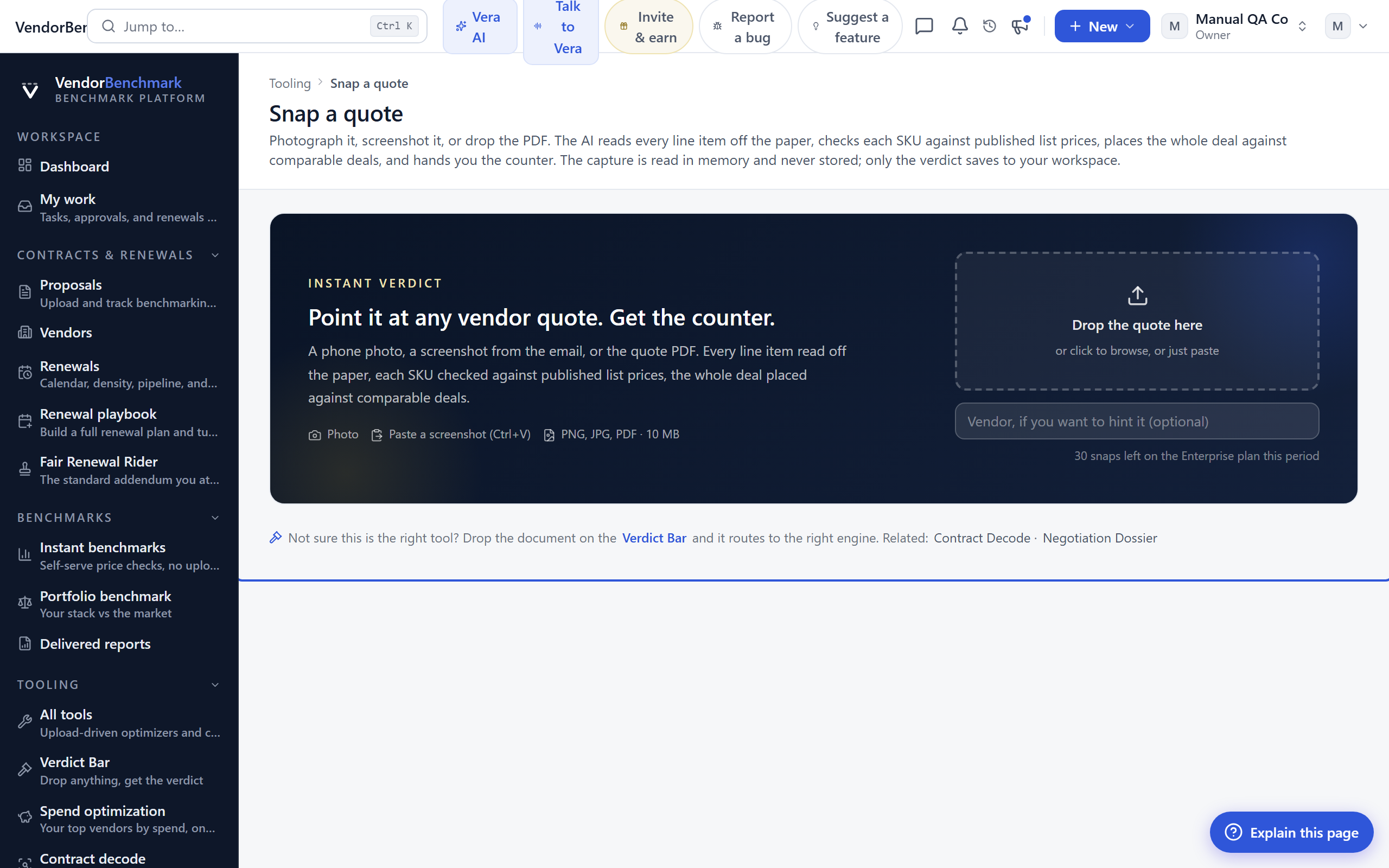
On the screen
- Capture — a phone photo, a screenshot, or the PDF. The capture is read in memory and never stored.
- Line items — every line read off the quote, with each SKU checked against list.
- Verdict line — where the whole deal sits against comparable deals.
- The counter — the response to send back.
- Saved snaps — only the verdict saves to your workspace.
How to use it
- Snap or drop the quote.
- Read the line-by-line check and the verdict.
- Send the counter.
Related: Verdict Bar · Quote Face-Off
Time machine
Where: Tooling › Time machine · /tooling/time-machine
Who: everyone (reads are metered by plan)
Drop last year's paper and this year's for the same vendor. The machine narrates what actually changed: the terms you won, the protections that quietly disappeared, and the real price walk line by line. Renewals smuggle in term degradation, and the machine reads for it so you do not have to.
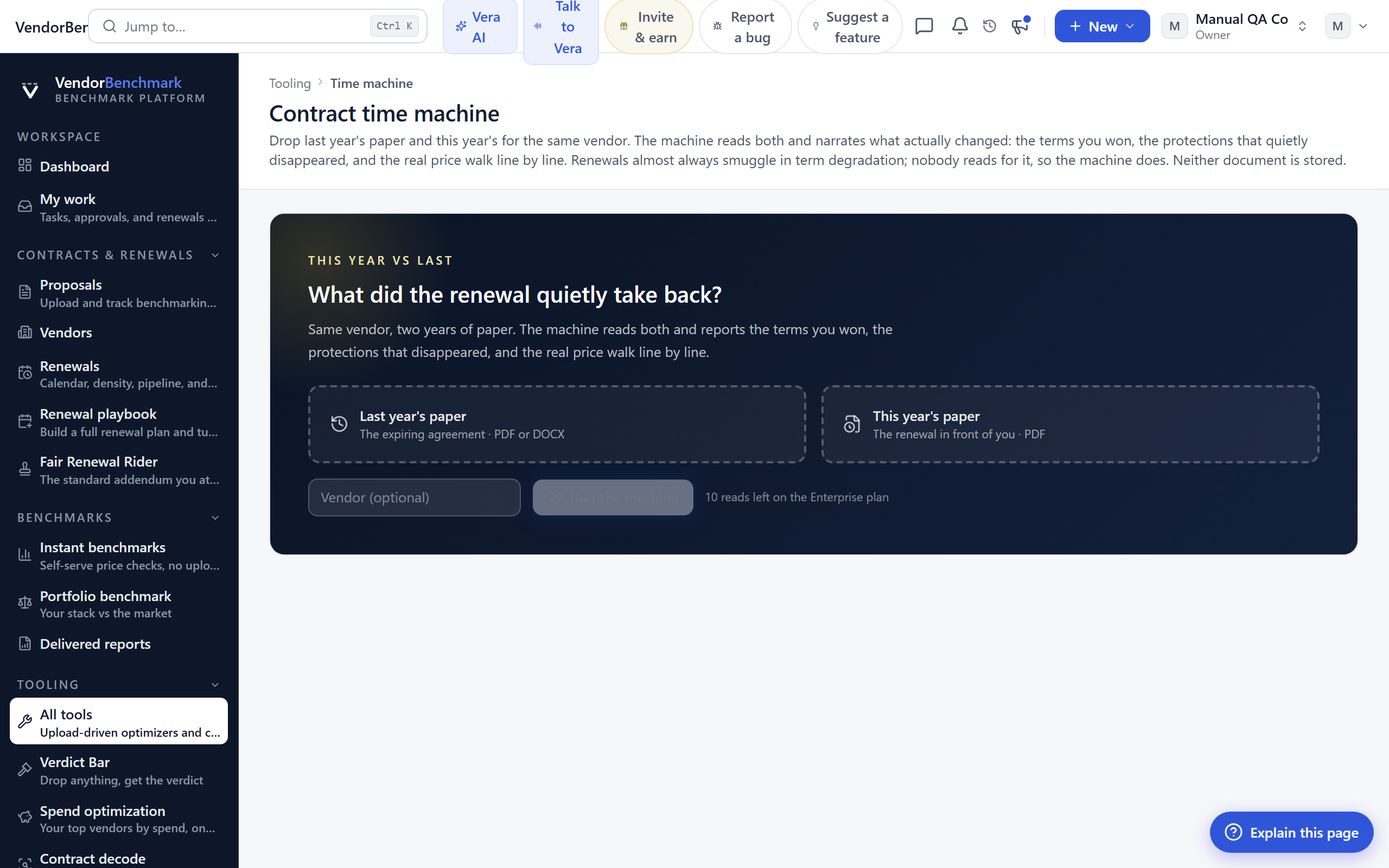
On the screen
- Two uploads — last year's document and this year's. Neither is stored.
- The narrative — what you gained, what you lost, and where.
- Price walk — the real increase line by line, not just the headline number.
- Saved reads — the walk delta is kept with each saved read.
How to use it
- Upload both versions of the same vendor's contract.
- Read the narrated diff, watching for dropped protections.
- Take the findings into the renewal.
Related: Compare · Renewal playbook
Self play
Where: Tooling › Self play · /tooling/self-play
Who: requires an AI plan
Name the vendor and the annual price, and the machine plays your renewal to completion eight times: your negotiator on one side, the vendor's rep in persona on the other, four strategies against two rep temperaments. It is a simulation against a modeled counterparty, not a prediction.
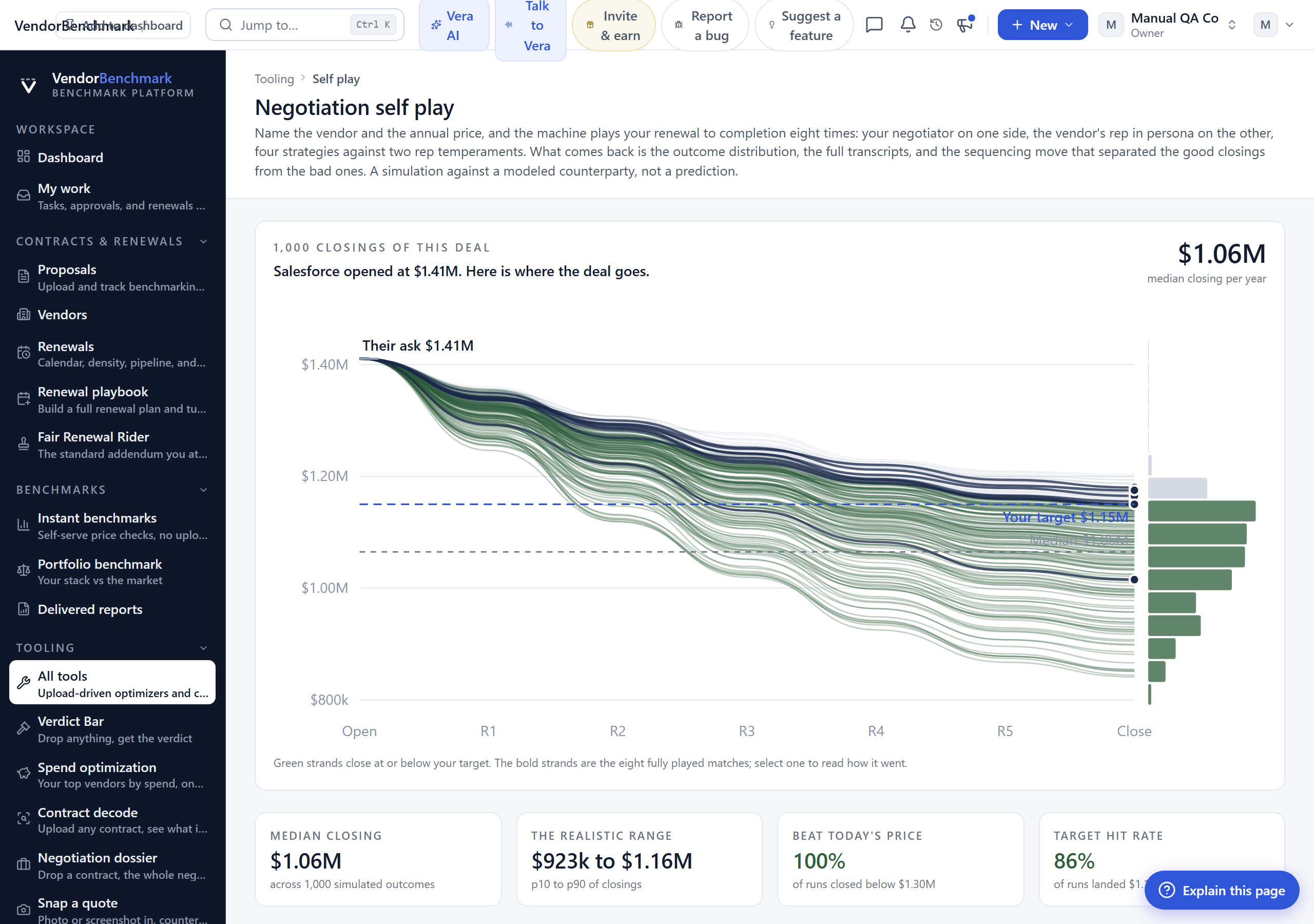
On the screen
- Setup — the vendor and the current annual price.
- Outcome distribution — the eight results drawn as a thousand strands.
- Transcripts — the full script of each of the eight matches.
- The swing move — the sequencing decision that separated the good closings from the bad ones, with its dollar figure.
How to use it
- Enter the vendor and your annual price.
- Run the eight matches; this takes a while.
- Read the swing move, then read the transcripts where it played out.
Related: Negotiations · Negotiation dossier
Cloud cost optimizer
Where: Tooling › Cloud cost optimizer · /tooling/cloud-cost
Who: everyone (uploads require an Enterprise plan)
Pick your hyperscaler and upload a daily cost export from OCI, AWS, Azure, or GCP. The AI reads the spend shapes, sizes the recoverable savings, and hands you an executive brief, a full FinOps report, and a phased action plan you can track.
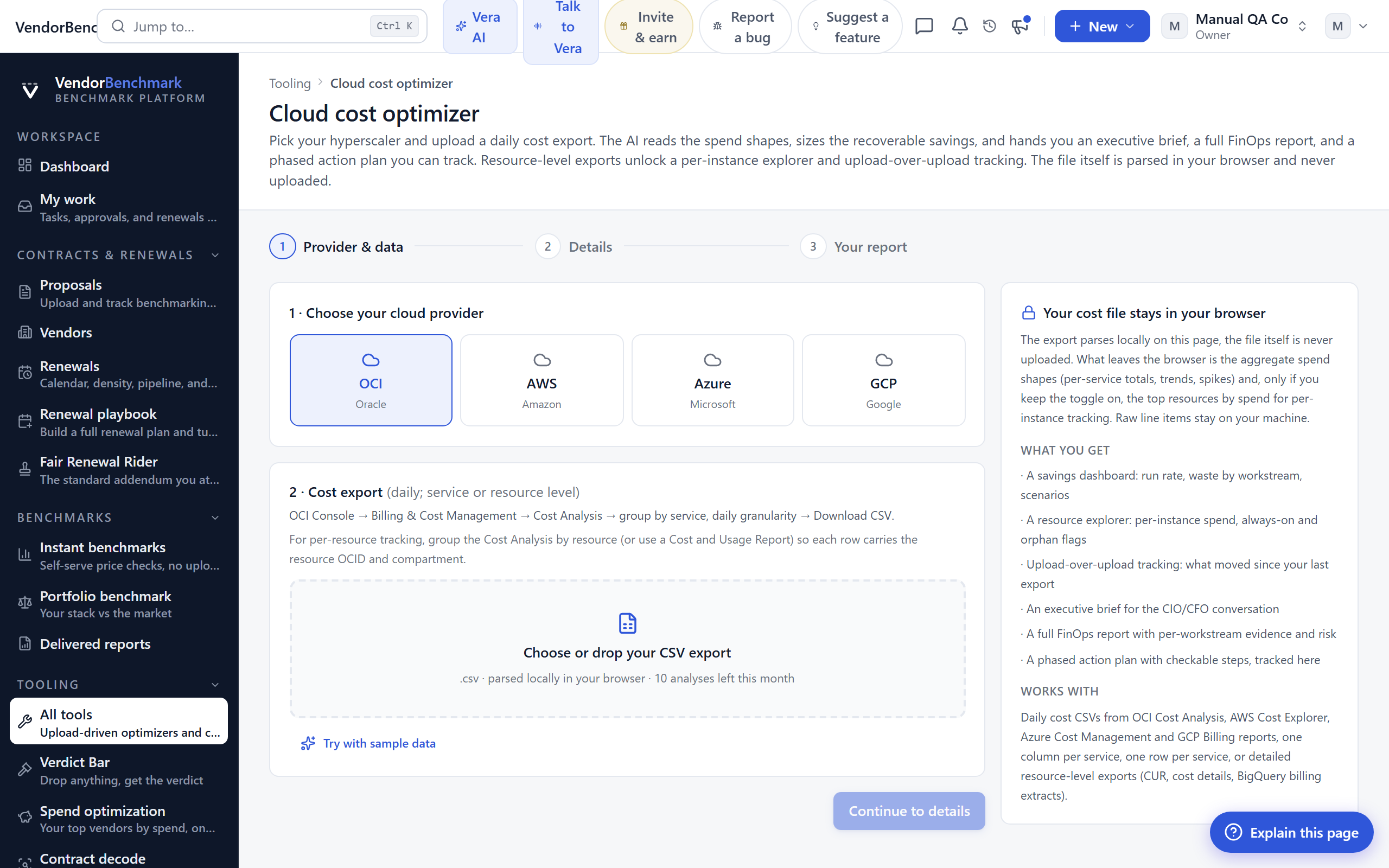
On the screen
- Provider and upload — choose the cloud and drop the cost export. The file is parsed in your browser and never uploaded.
- Savings by workstream — the recoverable spend, grouped.
- Executive brief and full report — the short read and the deep read.
- Action plan — a phased plan you can work through and track.
- Upload-over-upload tracking — a resource-level export unlocks a per-instance explorer and run-rate movement since your last upload.
How to use it
- Select the provider and upload the daily cost export.
- Read the brief, then the full report.
- Work the phased plan, and re-upload later to track the run rate.
Related: Workload comparator
Workload comparator
Where: Tooling › Workload comparator · /tooling/workload-compare
Who: everyone (your own data requires an Enterprise plan)
Describe your workloads or import an inventory CSV and see what each one costs on AWS, Azure, GCP, and OCI at list, which platform wins and why, and what the optimal placement saves across the portfolio.
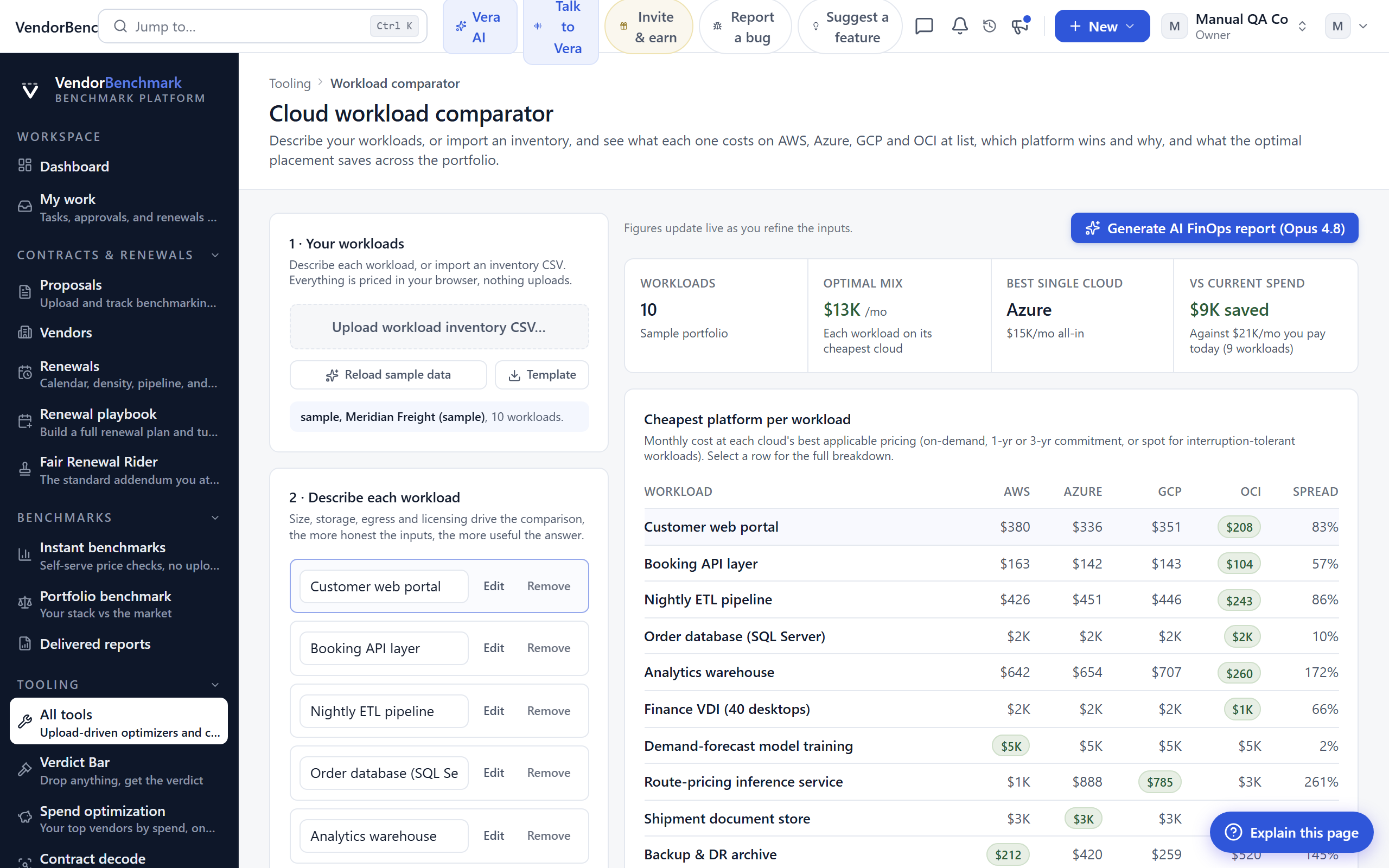
On the screen
- Workload input — describe workloads by hand or import an inventory.
- Cost per cloud — each workload priced across the four platforms at list.
- Winner and why — which platform wins each workload, with the reason.
- Optimal placement — the best split across the portfolio and an AI FinOps placement report.
How to use it
- Describe or import your workloads.
- Read which cloud wins each one.
- Take the placement report into your architecture and pricing talks.
Related: Cloud cost optimizer
M365 optimization
Where: Tooling › M365 optimization · /tooling/m365-optimization
Who: everyone (your own data requires an Enterprise plan)
Upload your Microsoft 365 usage export to find inactive accounts, right-size E7/E5/E3/E1 tiers, and size Copilot, with a playbook that includes the savings plan and a per-user reassignment list.
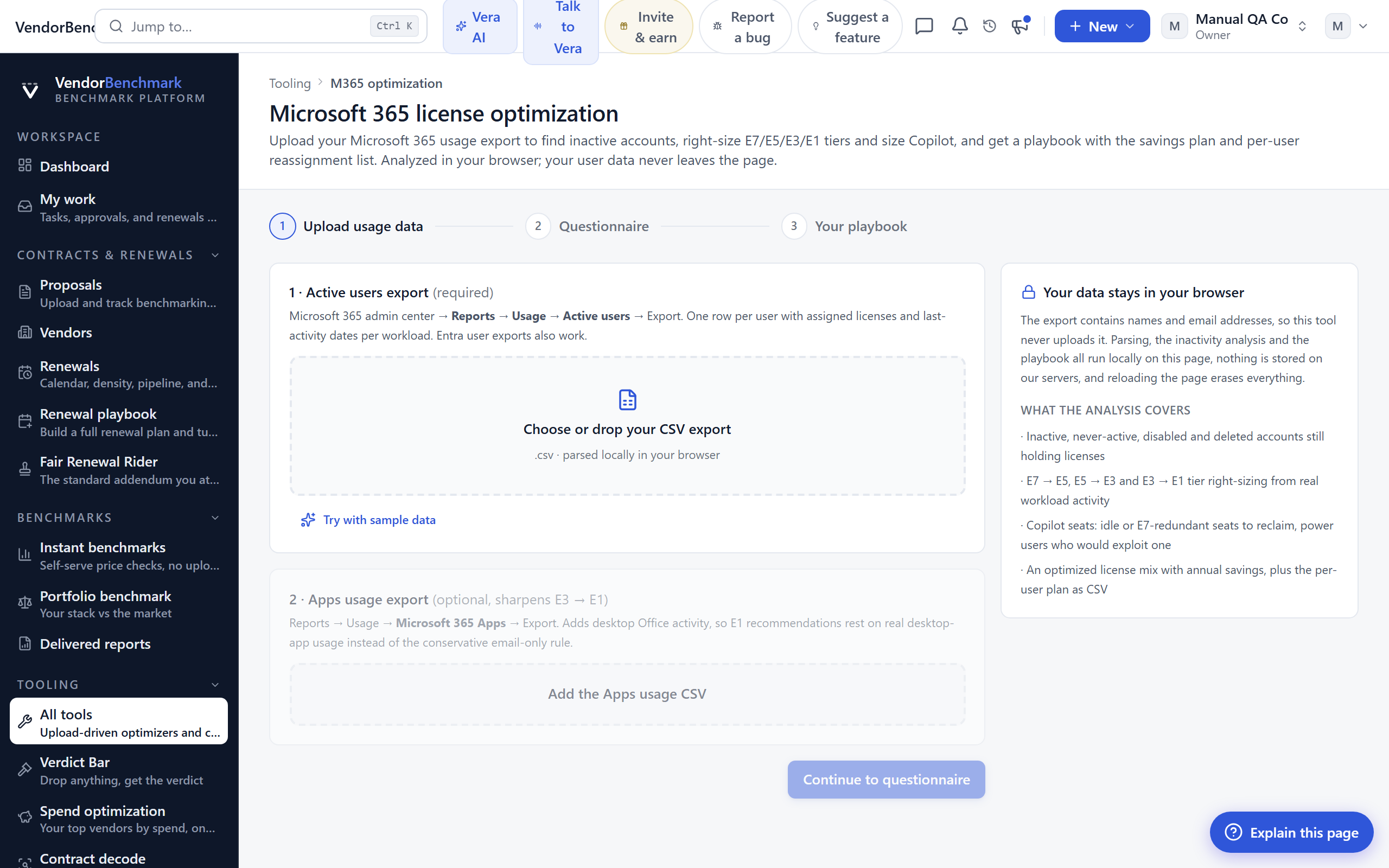
On the screen
- Usage upload — your M365 usage export, analyzed in your browser so your user data never leaves the page.
- Inactive accounts — the seats nobody is using.
- Tier right-sizing — where E7/E5/E3/E1 assignments are heavier than the usage warrants, and Copilot sizing.
- Playbook — the savings plan and the per-user reassignment list.
How to use it
- Upload the usage export.
- Review the inactive and oversized seats.
- Work the reassignment list into your next true-up or renewal.
Related: EA renewal playbook · Spend optimization
Agentforce optimizer
Where: Tooling › Agentforce optimizer · /tooling/agentforce
Who: everyone (your own data requires an Enterprise plan)
Upload your Salesforce Digital Wallet consumption export, layer in planned agent use cases, and size the right Flex Credit commitment, minimum, medium, or growth, before you sign.
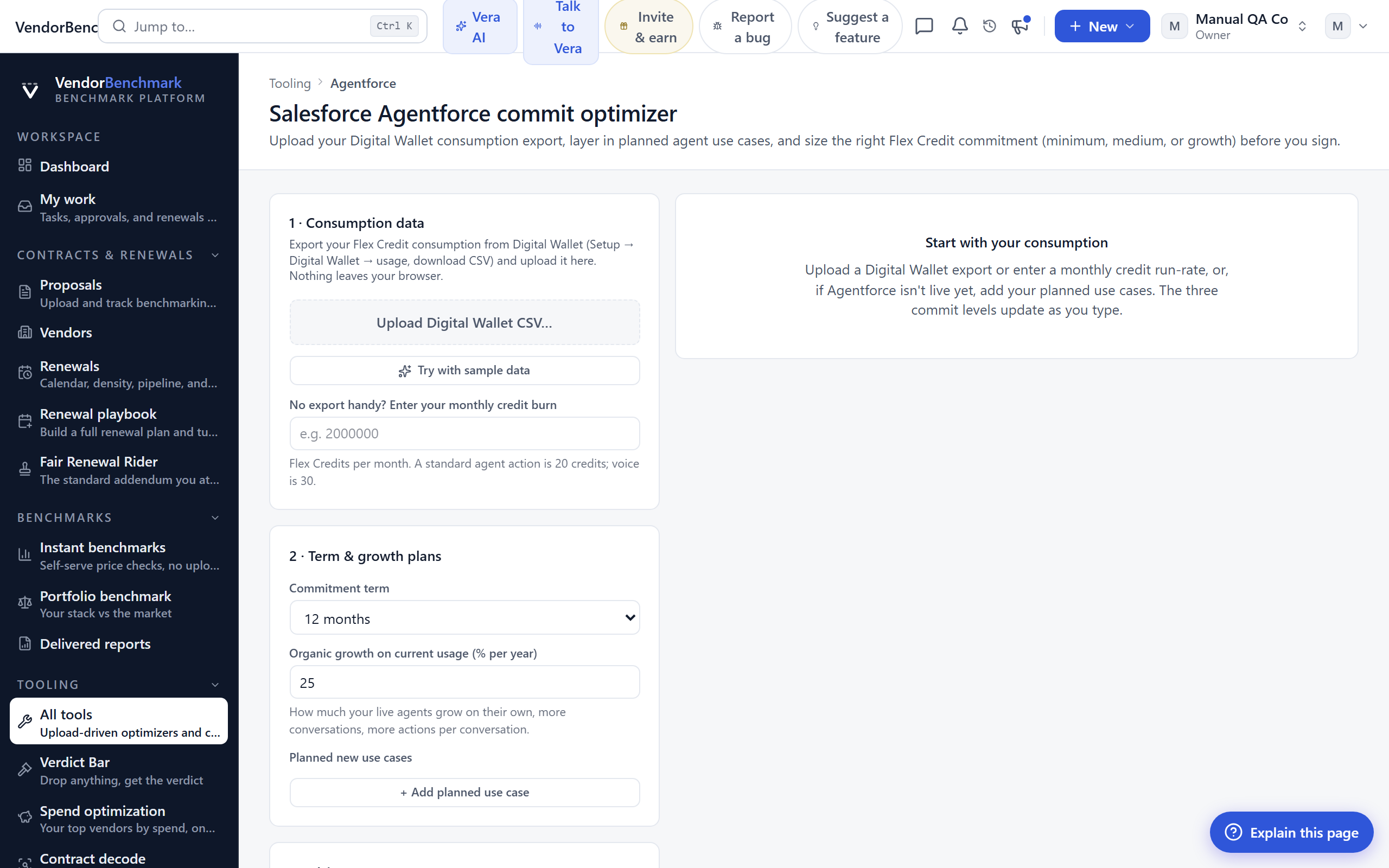
On the screen
- Consumption upload — your Digital Wallet export.
- Planned use cases — the agent workloads you expect to add.
- Commitment sizes — the recommended Flex Credit commitment at minimum, medium, and growth.
How to use it
- Upload the consumption export.
- Add the use cases you are planning.
- Take the sized commitment into the Agentforce conversation.
Related: Salesforce SELA
VCF licensing
Where: Tooling › VCF licensing · /tooling/vcf-licensing
Who: everyone
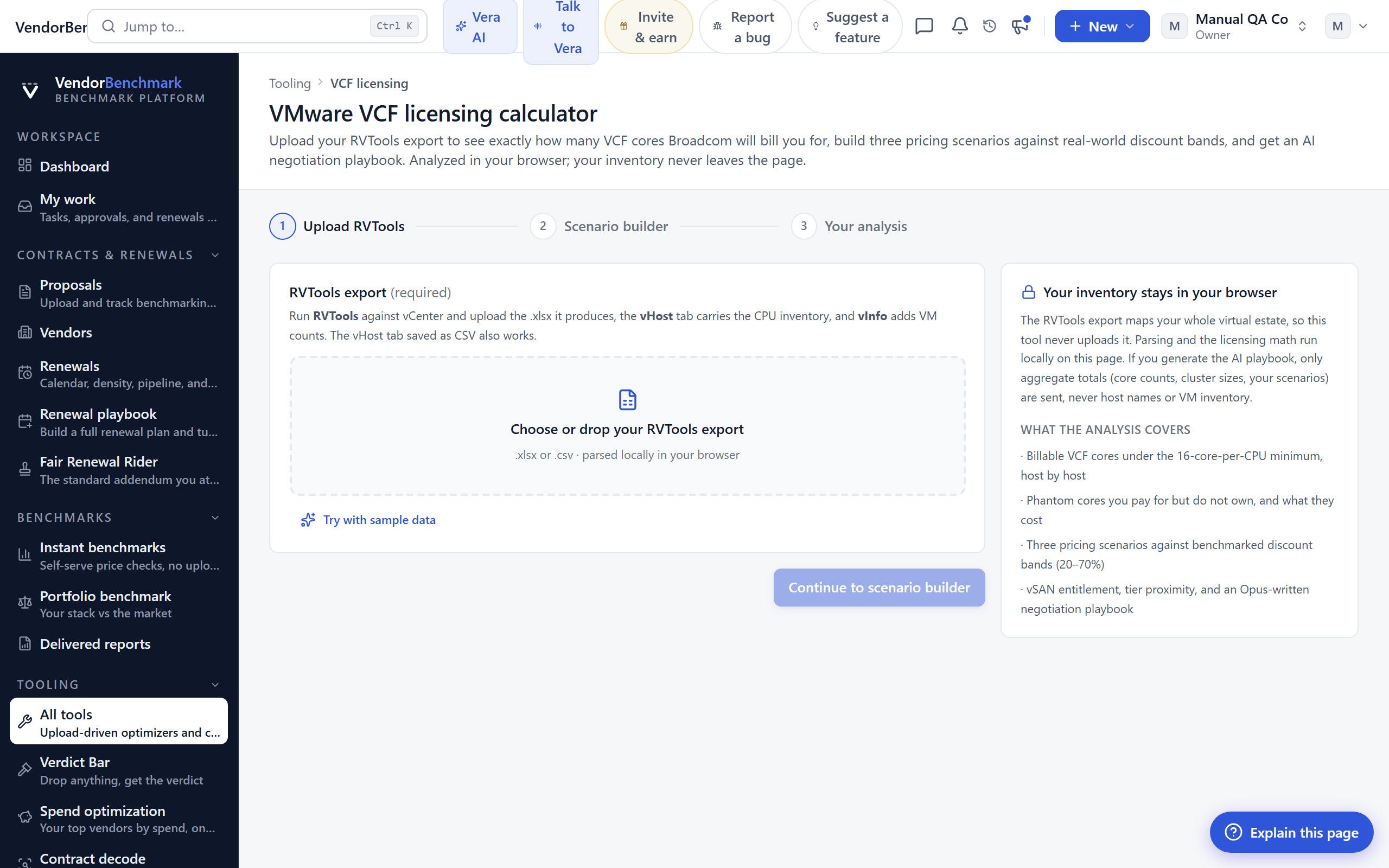
Upload your RVTools export to see exactly how many VCF cores Broadcom will bill you for under the 16-core minimum, build three pricing scenarios against real-world discount bands, and get an AI negotiation playbook.
On the screen
- RVTools upload — your inventory export, analyzed in your browser so it never leaves the page.
- Billable cores — the VCF core count Broadcom will charge, with the 16-core-per-CPU minimum applied.
- Three scenarios — pricing built against real discount bands.
- Playbook — the AI negotiation guidance for the reprice.
How to use it
- Upload the RVTools export.
- Read the billable core count and the three scenarios.
- Use the playbook to negotiate the VCF reprice.
Related: Playbooks
Claude optimizer
Where: Tooling › Claude optimizer · /tooling/anthropic-optimizer
Who: everyone (your own data requires an Enterprise plan)
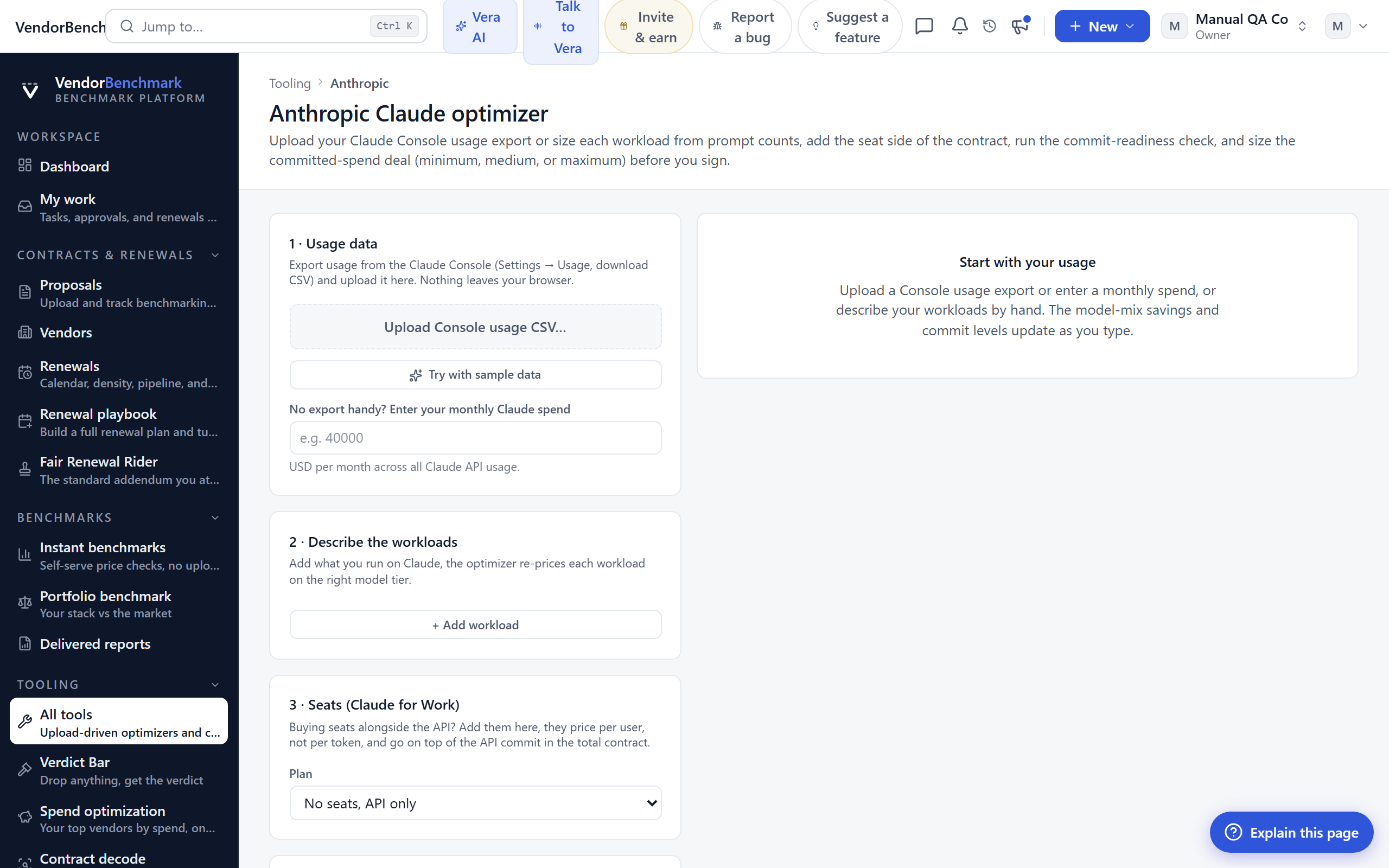
Upload your Claude Console usage export or size each workload from prompt counts, add the seat side of the contract, run the commit-readiness check, and size the committed-spend deal, minimum, medium, or maximum, before you sign.
On the screen
- Usage or prompt profiles — upload the Console export, or size workloads from prompt counts.
- Seats — add Team or Enterprise seats to the model.
- Commit-readiness check — whether your run rate is stable enough to commit.
- Deal sizes — the committed-spend deal at minimum, medium, and maximum.
How to use it
- Upload the usage export or build workloads from prompt profiles.
- Add the seat side and run the readiness check.
- Take the sized commitment into the agreement.
Related: Anthropic EA playbook · OpenAI optimizer
OpenAI optimizer
Where: Tooling › OpenAI optimizer · /tooling/openai-optimizer
Who: everyone (your own data requires an Enterprise plan)
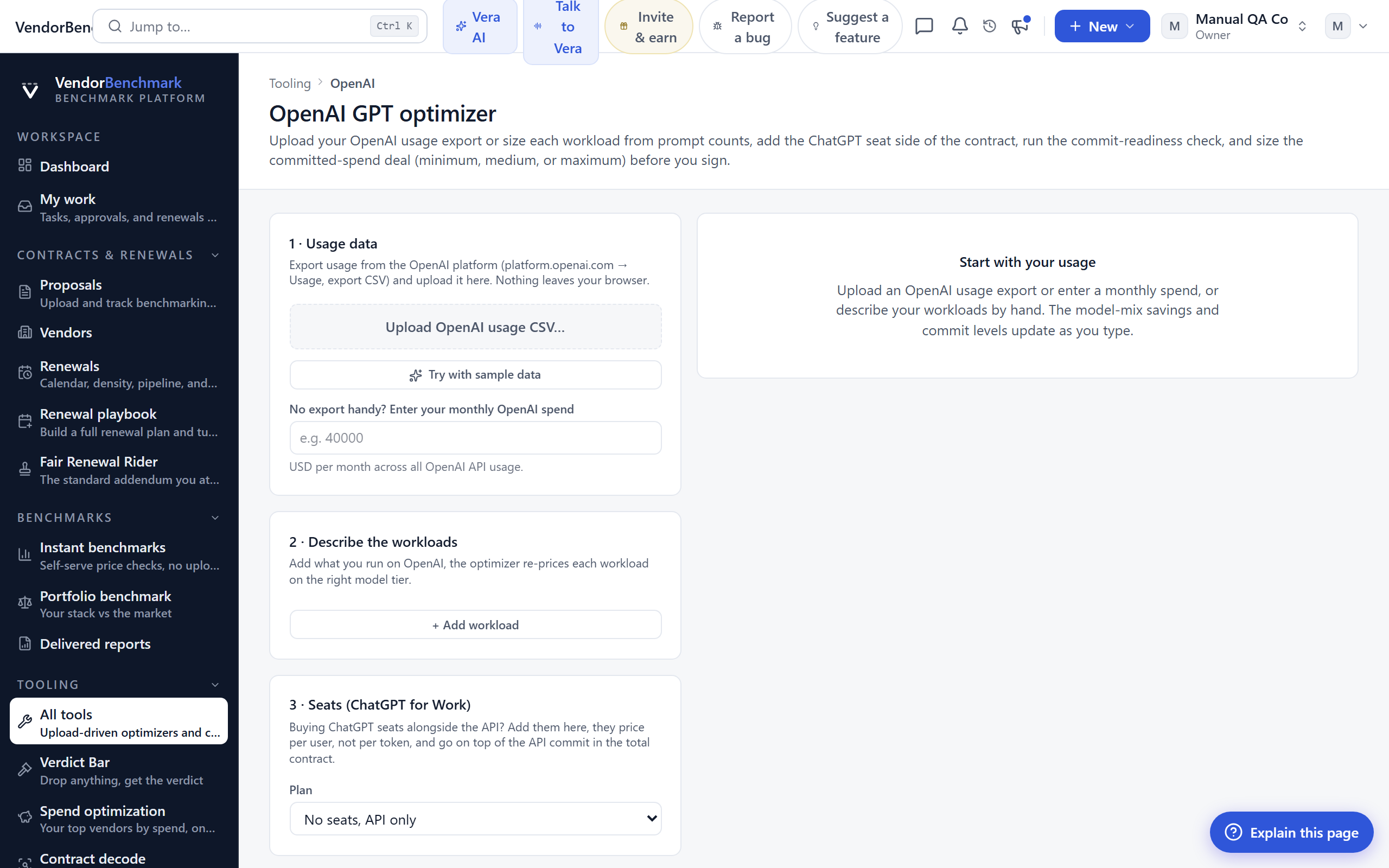
Upload your OpenAI usage export or size each workload from prompt counts, add the ChatGPT seat side of the contract, run the commit-readiness check, and size the committed-spend deal, minimum, medium, or maximum, before you sign.
On the screen
- Usage or prompt profiles — upload the usage export, or size workloads from prompt counts.
- Seats — add ChatGPT Team or Enterprise seats.
- Commit-readiness check — whether your run rate is ready to commit.
- Deal sizes — the committed-spend deal at minimum, medium, and maximum.
How to use it
- Upload the usage export or build workloads from prompt profiles.
- Add the seat side and run the readiness check.
- Take the sized commitment into the deal.
Related: Claude optimizer
Vendor playbooks
Where: Tooling › Playbooks · /tooling/playbooks
Who: everyone (uploading your own data is an Enterprise feature)
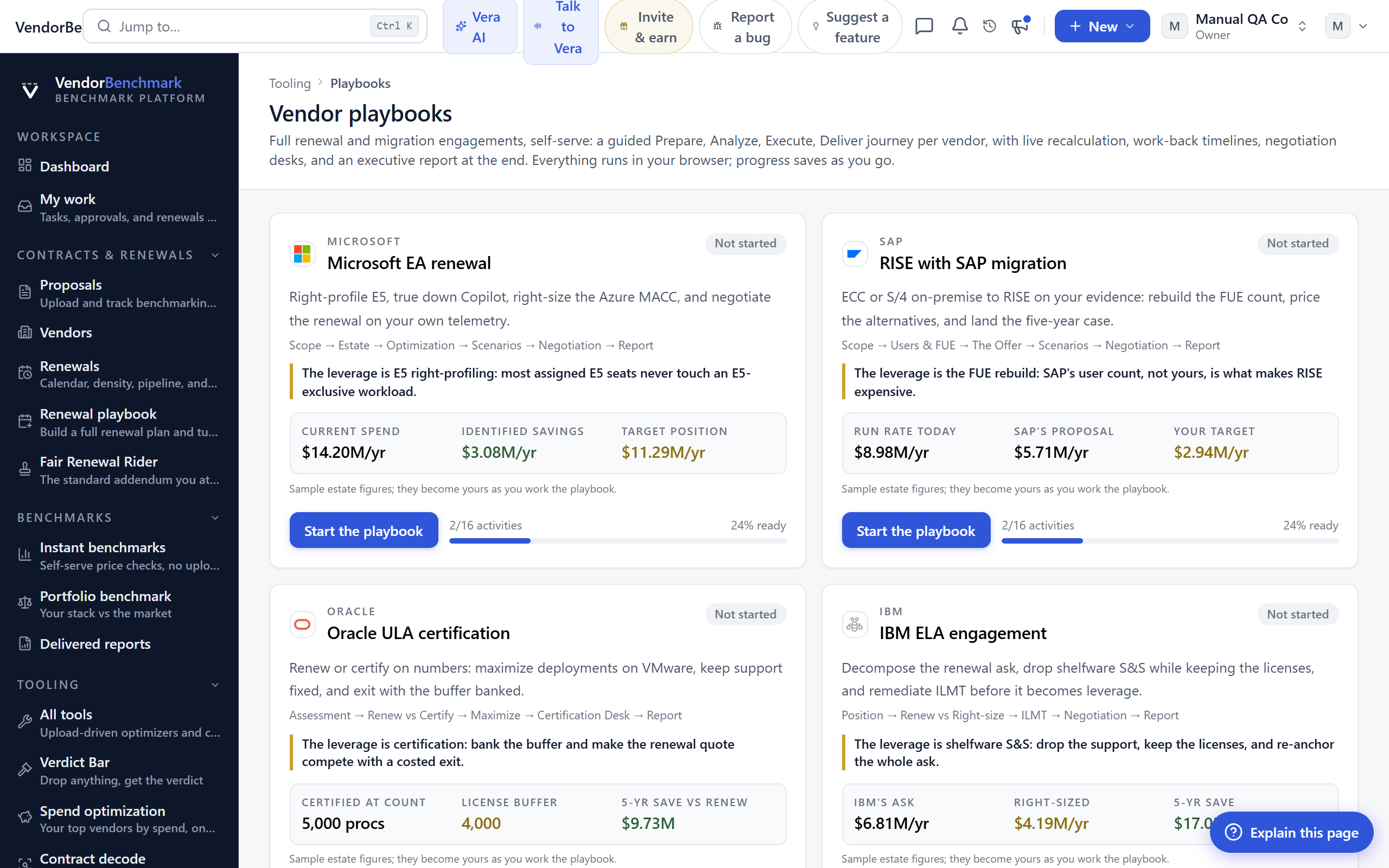
Full renewal and migration engagements, run yourself. Each playbook is a guided Prepare, Analyze, Execute, Deliver journey for one vendor, with live recalculation as you change inputs, work-back timelines, a negotiation desk, and an executive report at the end. Everything runs in your browser and progress saves as you go; every playbook works fully on its sample estate on any plan, and uploading your own data is the Enterprise step.
On the screen
- Playbook cards — one card per vendor engagement, ten in all.
- The stages — inside each, the Prepare, Analyze, Execute, Deliver path with its live models.
- Executive report — the CFO business case and the exec report the journey produces.
Because every playbook shares that shape, each entry below gives its route, what the engagement is for, the key moves it walks you through, and when to reach for it.
Microsoft EA
/tooling/ms-ea-renewal · Run a Microsoft Enterprise Agreement renewal from scoping to the CFO business case.
Key moves
- Scope the renewal cycle and load your license estate.
- Surface defensible savings across E5, Copilot, and the Azure MACC.
- Work the timeline and the negotiation desk.
- Finish with the CFO business case and an executive report.
When to use it: your Microsoft EA renewal is inside 12 months.
RISE with SAP
/tooling/rise-with-sap · Model the move from ECC or on-premise S/4HANA to RISE on the numbers, not SAP's narrative.
Key moves
- Rebuild the FUE count from usage evidence and baseline your current run rate.
- Decompose SAP's offer and price the alternatives against it.
- Work the migration timeline and the commercial asks.
- Finish with a five-year TCO business case and an executive report.
When to use it: SAP is pushing you from ECC or on-premise toward RISE.
Oracle ULA
/tooling/oracle-ula-certification · Decide renew versus certify on the numbers, then exit clean.
Key moves
- Assess the license position and review the contracts and entities in scope.
- Maximize deployments on VMware before the certification count is taken.
- Work the cloud and certification rules, and control what Oracle gets to see.
- Exit with the licenses banked and support unchanged.
When to use it: your Oracle ULA is approaching its certification date.
IBM ELA
/tooling/ibm-ela · Decide whether to renew the bundle or right-size out of it.
Key moves
- Decompose IBM's renewal quote line by line.
- Drop shelfware subscription and support while keeping the perpetual licenses.
- Remediate ILMT before it becomes audit leverage.
- Sign inside IBM's year-end close with the CFO case and an executive report.
When to use it: your IBM ELA renewal quote just landed.
Adobe ETLA
/tooling/adobe-etla · Run an Adobe ETLA renewal inside the one window the agreement allows.
Key moves
- Pull the Admin Console evidence on real seat activity.
- Cut inactive seats and right-profile All Apps and Acrobat.
- Decompose the generative-AI padding out of the proposal.
- Price the VIP alternative and sign inside Adobe's fiscal year close.
When to use it: your Adobe ETLA renewal window is opening.
Salesforce SELA
/tooling/salesforce-sela · Renew the Salesforce wrap on your measured usage, not the quote.
Key moves
- Segment the Unlimited base against real usage.
- Clear the add-on shelfware.
- Right-size the Agentforce commitment to the measured conversation burn.
- Sign inside the January 31 year-end close with the CFO case.
When to use it: your Salesforce SELA renewal is on the horizon.
Anthropic EA
/tooling/anthropic-ea · Size an Anthropic enterprise agreement off your own forecast.
Key moves
- Load the Console usage and right-size the model mix behind your evals.
- Wire caching and the Batch API, and trim inactive seats.
- Size the commitment against the true-up risk curve.
- Sign with rollover, price protection, and the CFO case in hand.
When to use it: Anthropic put an enterprise agreement on the table.
Workday
/tooling/workday-renewal · Negotiate a Workday renewal against the market, not the bundle.
Key moves
- Benchmark your discount off list against the peer corridor.
- Decompose the ask and the expansion bundled into it.
- True the worker bands down to reality in the only window they reopen.
- Keep the Workday-loyal implementation partner out of the negotiation room, and sign inside the January 31 close.
When to use it: your Workday renewal quote bundles more than you asked for.
ServiceNow
/tooling/servicenow-renewal · Renew ServiceNow on your numbers, against a corridor that runs past 45%.
Key moves
- Benchmark your discount off list.
- True down idle seats and modules in the only window one-way pricing allows.
- Cap the uplift at 5% or lower, and refuse every product without a funded owner.
- Keep the ServiceNow-loyal implementor out of the commercial room, and start a year early so a credible no earns the one-time license credits.
When to use it: your ServiceNow renewal is coming and the uplift looks steep.
Third-party support
/tooling/third-party-support · Move stable OEM support to a third-party provider on your terms.
Key moves
- Decide eligibility product by product.
- Run a blind tender across every provider without disclosing what you pay the OEM.
- Sign far below the standard OEM rate.
- Use the incumbent re-tender path for estates already on third-party support.
When to use it: you pay OEM support on stable products you barely call.
Next: Chapter 04 · Insight